
Download PDF Converter with OCR – Secure, Fast, and Searchable PDF Tool
Overview
PDF Converter with OCR from Enolsoft is a premium desktop utility designed to turn flat, scanned PDFs into fully searchable documents without the usual hassle. In many workplaces and home offices, scanned PDFs are used to preserve the visual fidelity of original paperwork, but they remain nothing more than high‑resolution images to a computer. This makes locating specific terms, numbers, or phrases a time‑consuming manual process.
Enolsoft’s solution tackles that problem head‑on by employing optical character recognition (OCR) technology that intelligently deciphers the hidden text inside each page. Once recognized, the software can export the content into a searchable PDF, Microsoft Word (DOC/DOCX), ePub, HTML, plain text (TXT), and several other popular formats. The application supports encrypted PDFs, meaning you can process password‑protected files without compromising security.
Its language engine is impressively broad, covering over 150 languages, which makes it a versatile choice for multinational teams or users dealing with foreign‑language documents. Batch conversion allows you to process dozens of files in a single operation, and the drag‑and‑drop interface reduces the learning curve to almost zero. Although the price point sits at a premium level, the reliability, speed, and breadth of output options justify the investment for power users who need a dependable OCR workflow.
While the tool does not auto‑detect the language of a document—you must manually select it—it compensates with a clean UI and consistent performance. The lack of an image‑extraction feature means you’ll need a separate editor for graphic‑only tasks, but for most text‑centric conversion needs, PDF Converter with OCR remains a standout utility in its class. Whether you’re a legal professional needing searchable case files, a researcher compiling scanned articles, or a small business digitizing invoices, this software offers a secure, fast, and accurate pathway from static image to editable, searchable content.
Key Features
- Advanced OCR Engine: Recognizes text in over 150 languages, ensuring high accuracy even on low‑resolution scans.
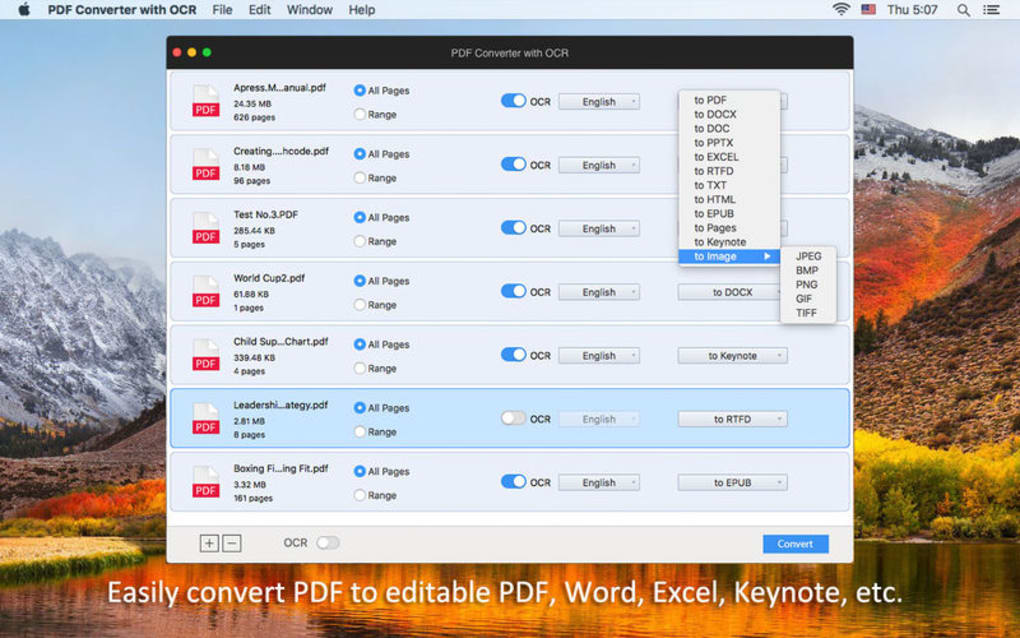
- Multiple Export Formats: Convert PDFs to searchable PDF, DOC/DOCX, ePub, HTML, TXT, RTF, and more.
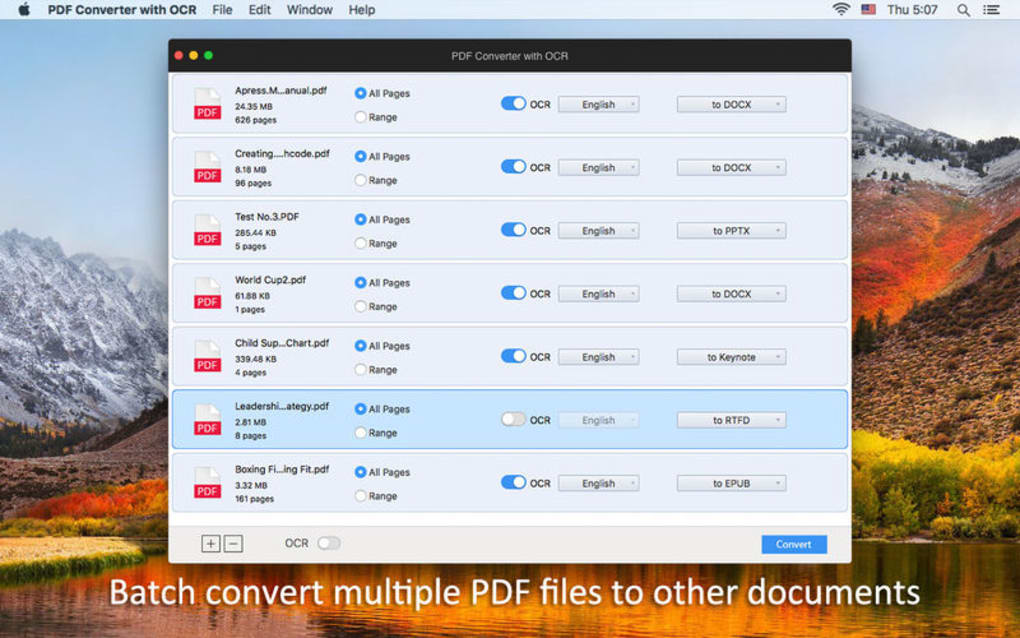
- Batch Conversion: Process dozens of files simultaneously, saving hours on large document sets.
- Drag‑and‑Drop Interface: Simple UI that lets you drop files into the window for instant conversion.
- Encrypted PDF Support: Handles password‑protected files while preserving security.
- Custom Language Selection: Manually choose the OCR language to match the document’s content.
- High‑Speed Processing: Optimized algorithms deliver fast conversion without sacrificing quality.
- Preserves Layout: Retains original formatting, fonts, and paragraph structure in the output file.
- Cross‑Platform Compatibility: Works on Windows 10/11 and macOS 10.15+ (Catalina and later).
- Regular Updates: Frequent updates improve OCR accuracy, add new languages, and keep the software secure.
Installation, Usage & Compatibility
Installing PDF Converter with OCR is straightforward. After purchasing the license on the Enolsoft website, you’ll receive a download link for the installer appropriate to your operating system. The Windows version comes as a .exe file, while macOS users download a .dmg package. Run the installer, follow the on‑screen prompts, and the software will be placed in your Program Files (Windows) or Applications folder (macOS). The installer also registers a trial period of 14 days, allowing you to test full functionality before committing.
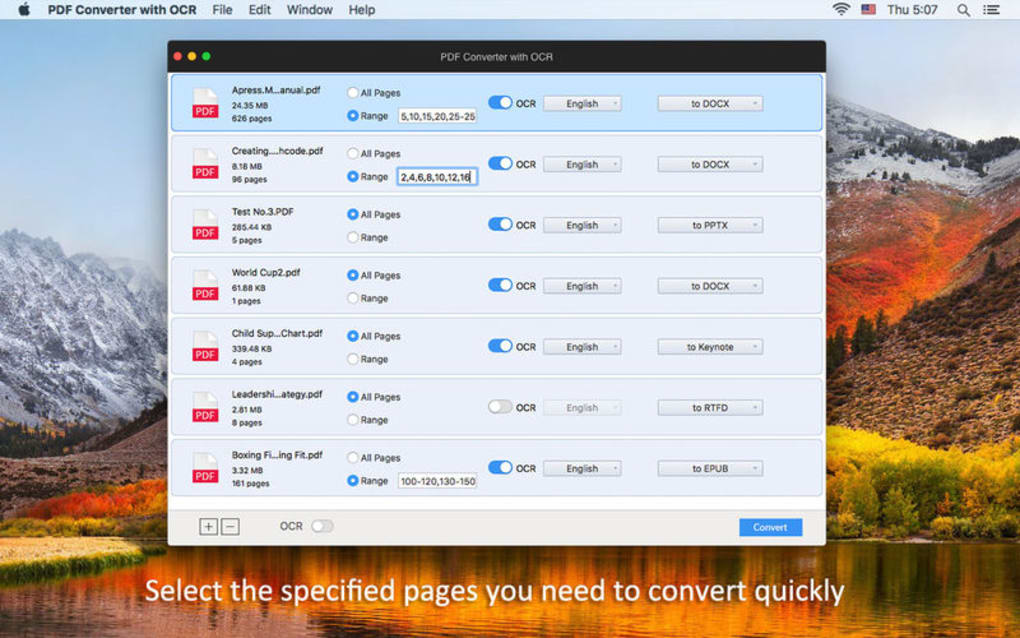
Once installed, launching the application presents a clean main window divided into three panels: the file list, conversion settings, and preview area. To start a conversion, simply drag your scanned PDFs into the file list or use the “Add Files” button. Choose the desired output format from the dropdown menu, then click the gear icon to select the OCR language.
If you are processing a batch, you can set a default language for all files or assign specific languages per document. After configuring options, hit the “Convert” button. The progress bar tracks each file, and upon completion, the converted files appear in the designated output folder, ready for immediate use.
Compatibility: PDF Converter with OCR runs on 64‑bit Windows 10, Windows 11, and macOS Catalina (10.15) or newer. The software requires at least 2 GB of RAM and 300 MB of free disk space for installation. While there is no native Linux version, the Windows build can be executed under Wine for advanced users. The application supports both Intel and Apple Silicon processors on macOS, automatically leveraging the appropriate architecture for optimal performance.
For ongoing maintenance, the program includes an auto‑update feature that checks for new releases each time you launch the app. Updates are delivered via a secure HTTPS connection, ensuring that the latest OCR dictionaries and bug fixes are installed without exposing your system to risk. If you encounter any issues, Enolsoft provides a responsive support portal, comprehensive knowledge base, and a community forum where you can share tips with other power users.
Pros & Cons
Pros
- Highly accurate OCR across 150+ languages.
- Supports a wide range of export formats, making it versatile for different workflows.
- Batch conversion and drag‑and‑drop dramatically speed up large projects.
- Handles encrypted PDFs without compromising security.
- Regular updates keep the engine current and improve performance.
Cons
- Language selection must be manual; no auto‑detect feature.
- Lacks a dedicated image‑extraction tool for pulling graphics alone.
- Premium price may be a barrier for casual users.
- No native Linux version, though Wine can be used as a workaround.
- Interface, while clean, is not highly customizable.
Frequently Asked Questions
Can PDF Converter with OCR process password‑protected PDFs?
Yes. The software can open and convert encrypted PDFs as long as you provide the correct password during the import stage.
Is there a limit to the number of pages I can convert in a batch?
There is no hard‑coded limit; the only constraints are your system’s memory and processing power. Most users can comfortably convert hundreds of pages in one batch.
What output formats are available for OCR‑converted documents?
You can export to searchable PDF, Microsoft Word (DOC/DOCX), ePub, HTML, plain text (TXT), RTF, and several other common formats.
Does the software automatically detect the language of a scanned document?
No. You need to manually select the language before conversion. This ensures higher accuracy, especially for documents with mixed or uncommon scripts.
Is there a free trial available before purchase?
Yes. Enolsoft offers a 14‑day free trial that provides full access to all features, allowing you to evaluate performance and compatibility with your workflow.
Conclusion & Call to Action
PDF Converter with OCR stands out as a robust, secure, and feature‑rich solution for anyone needing to transform static scanned PDFs into searchable, editable documents. Its support for more than 150 languages, batch processing, and a broad array of export options make it a top‑choice for professionals in legal, academic, and business environments. While the lack of automatic language detection and image‑extraction functions are minor drawbacks, they do not outweigh the overall value delivered at its premium price point.
If you regularly handle scanned paperwork and need a reliable way to make those files searchable, the investment in Enolsoft’s PDF Converter with OCR is well‑justified. Download the free trial today, test the OCR accuracy on your own documents, and experience the time‑saving benefits first‑hand. Once you’re satisfied, purchasing the full license unlocks unlimited conversions, priority updates, and dedicated customer support.
Download PDF Converter with OCR now and turn your paper archive into a searchable digital library in minutes.







